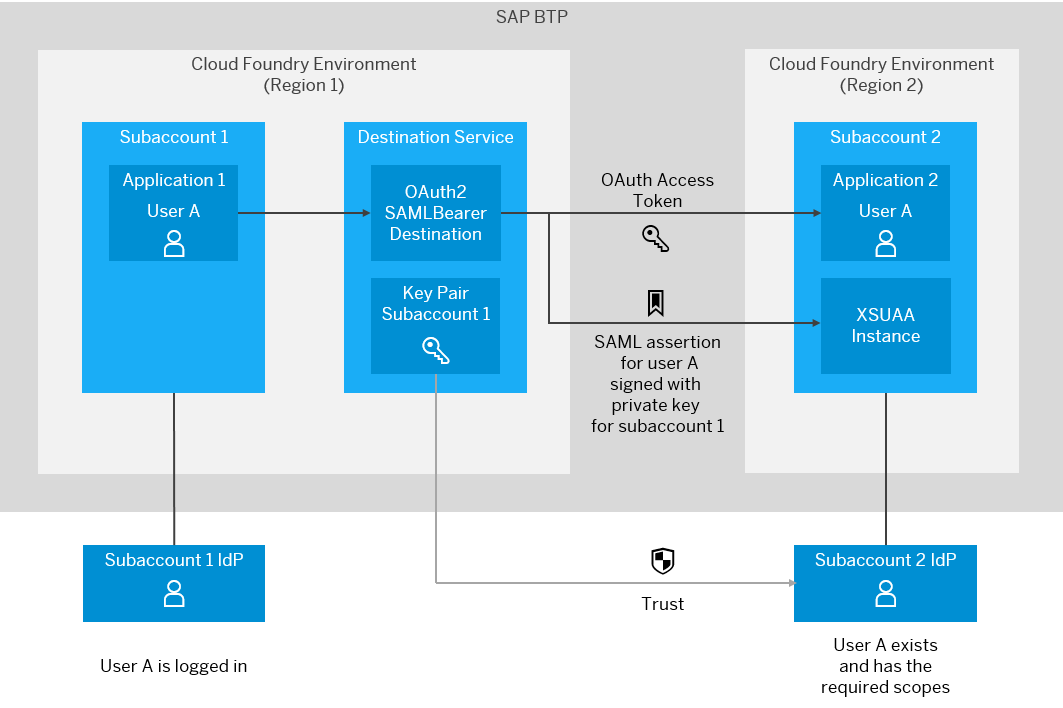
In Cloud Foundry, how to make a request from an application running on a subaccount, to an endpoint handled by another application running on a different subaccount and protected with Roles
official documentation at https://help.sap.com/docs/connectivity/sap-btp-connectivity-cf/user-propagation-between-cloud-foundry-applications
We first need to establish a SAML trust between account 2 and account 1, and then configure a destination that can propagate the user login from account 1 to account 2
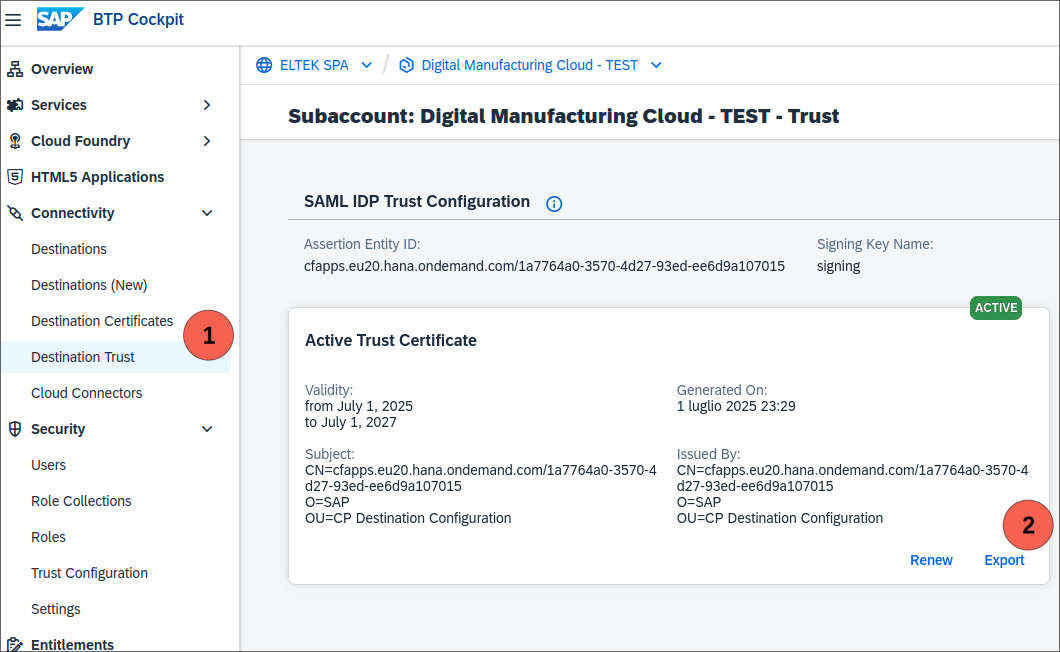
Prepare the IdP Metadata for establishing trust
- Download the certificate of subaccount 1 by clicking Export in Connectivity -> Destination Trust
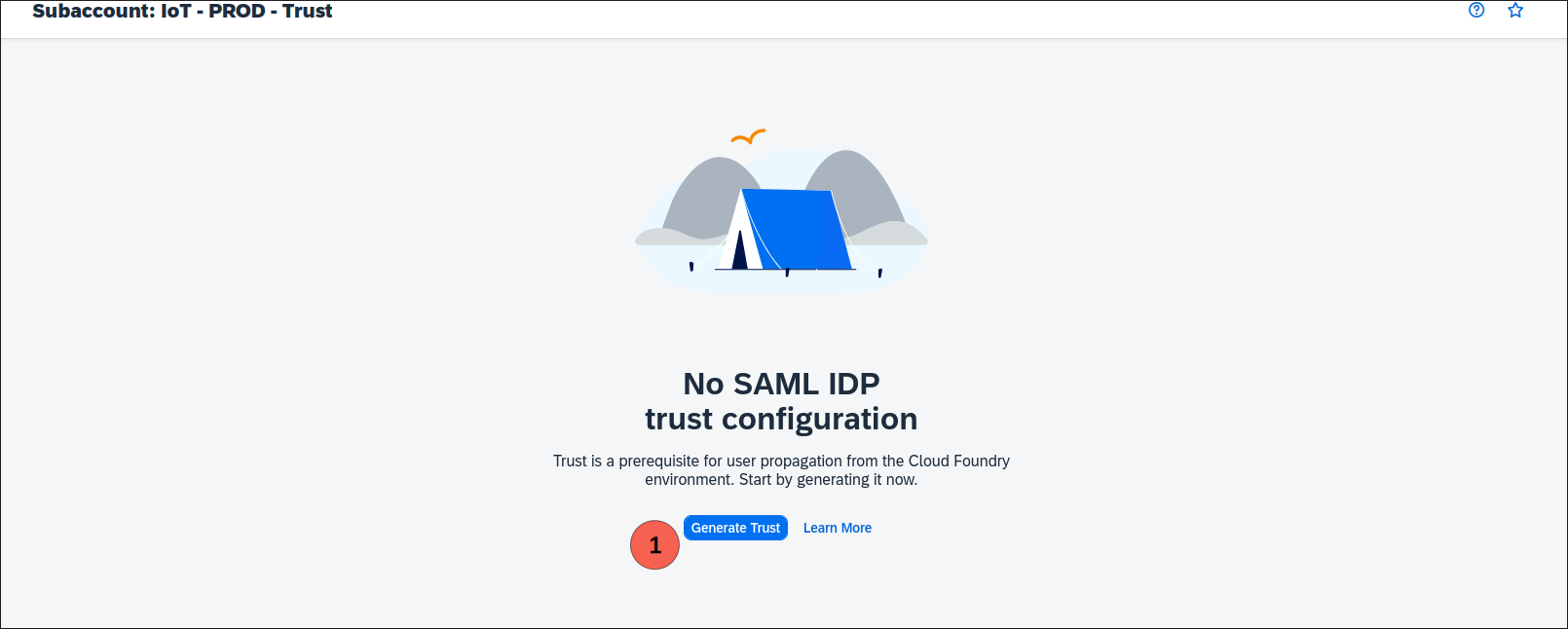
it could be required to generate the trust first
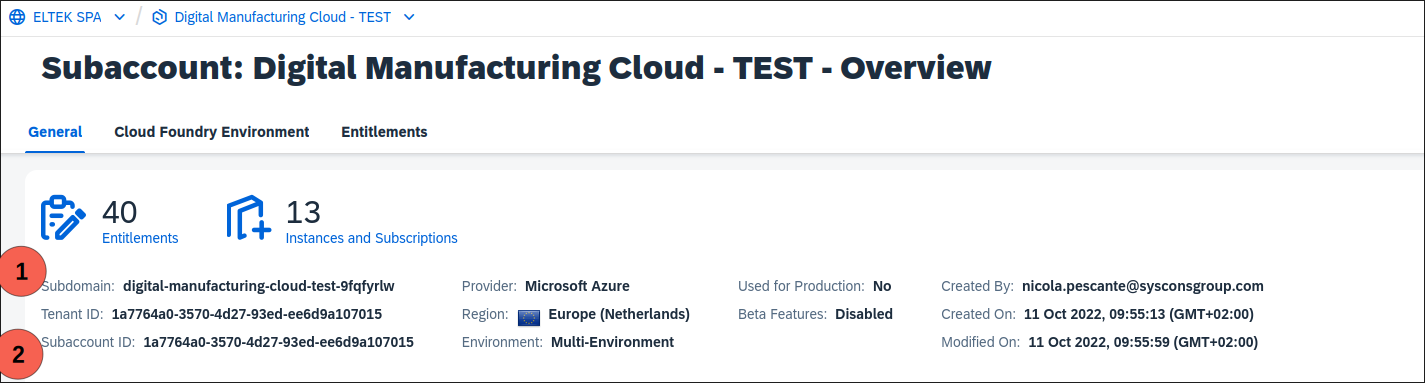
- Take note of the subdomain e subaccount id
- Download the SAML Metadata of subaccount 1 in Security -> Trust Configuration and click Download SAML Metadata
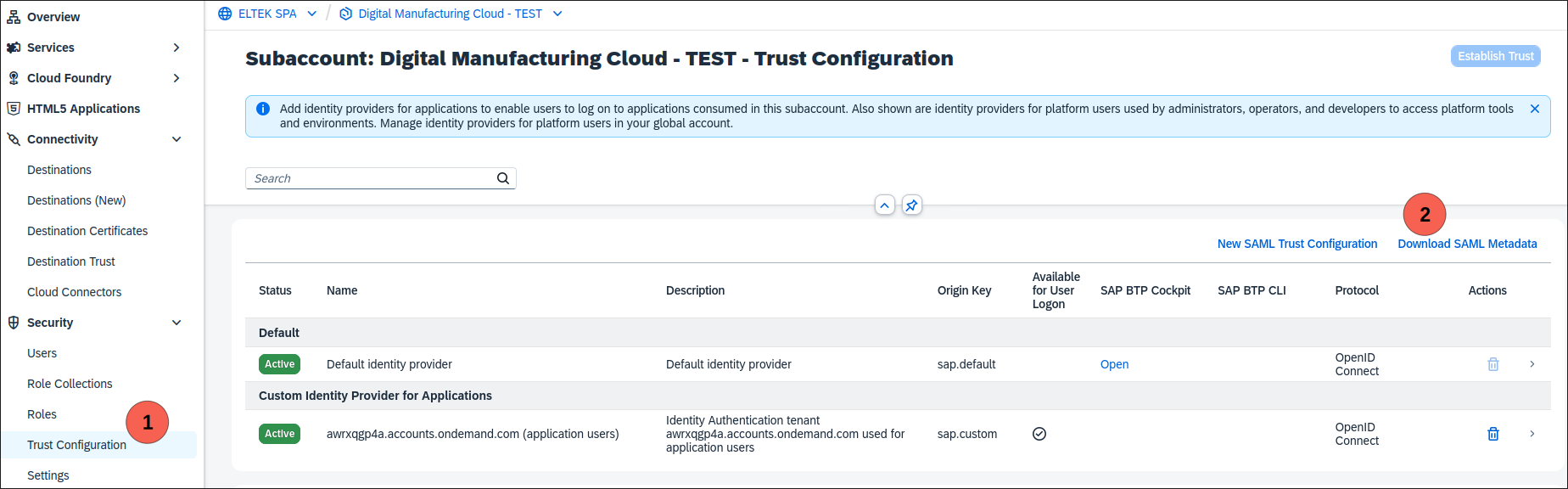
- In the downloaded file, take note of the value indicated at the place of <alias>
...
<md:AssertionConsumerService Binding="urn:oasis:names:tc:SAML:2.0:bindings:URI" Location="https://${S1_SUBDOMAIN}.authentication.${S1_LANDSCAPE_DOMAIN}/oauth/token/alias/<alias>" index="1"/>
...
- Create the idp metadata file by replacing the placeholders with the certificate, the alias and the subdomain and subaccount
<ns3:EntityDescriptor
    ID="cfapps.{{subdomain}}/{{subaccount_id}}"
    entityID="cfapps.{{subdomain}}/{{subaccount_id}}"
    xmlns="http://www.w3.org/2000/09/xmldsig#"
    xmlns:ns2="http://www.w3.org/2001/04/xmlenc#"
    xmlns:ns4="urn:oasis:names:tc:SAML:2.0:assertion"
    xmlns:ns3="urn:oasis:names:tc:SAML:2.0:metadata">
    <ns3:SPSSODescriptor AuthnRequestsSigned="true"
        protocolSupportEnumeration="urn:oasis:names:tc:SAML:2.0:protocol">
        <ns3:KeyDescriptor use="signing">
            <KeyInfo>
                <KeyName>
	                <!-- alias taken at point 3 -->
                </KeyName>
                <X509Data>
                    <X509Certificate>
                        <!-- paste certificate content download at point 1 -->
                    </X509Certificate>
                </X509Data>
            </KeyInfo>
        </ns3:KeyDescriptor>
    </ns3:SPSSODescriptor>
    <ns3:IDPSSODescriptor
        WantAuthnRequestsSigned="true"
        protocolSupportEnumeration="urn:oasis:names:tc:SAML:2.0:protocol">
        <ns3:KeyDescriptor use="signing">
            <KeyInfo>
                <KeyName>
                	<!-- alias taken at point 3 -->
                </KeyName>
                <X509Data>
                    <X509Certificate>
                        <!-- paste certificate content download at point 1 -->
                    </X509Certificate>
                </X509Data>
            </KeyInfo>
        </ns3:KeyDescriptor>
    </ns3:IDPSSODescriptor>
</ns3:EntityDescriptor>
Set up the trust between subaccount
- In the subaccount 2, establish a new trust for the subaccount 1 by going into Security -> Tust Configuration and clicking New SAML Trust Configuration
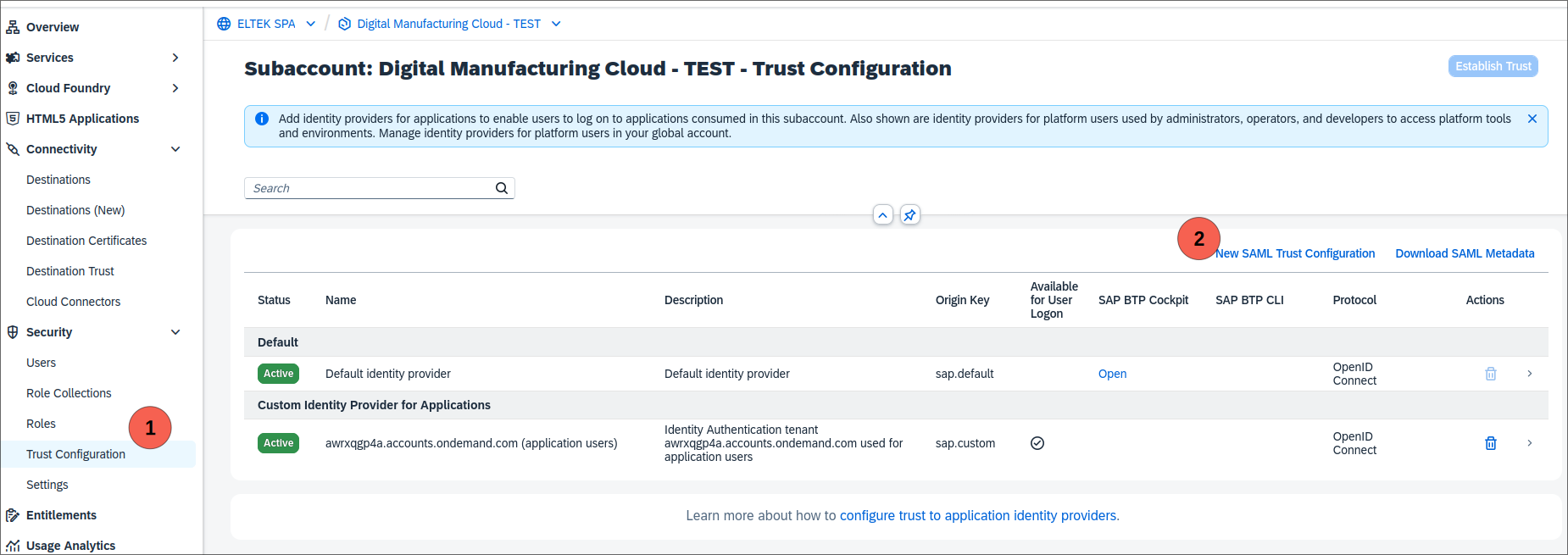
- Paste the content of the metadata file made previosuly and press Parse to fill the form. Do NOT flag Availabgle for User Logon but flag Create Shadow Users during Logon

Create the destination
- Download the SAML Metadata of subaccount 2 in Security -> Trust Configuration and click Download SAML Metadata
- Retrieve the value for <alias> and <audience>
<md:EntityDescriptor entityID="<audience>" ...>
...
<md:AssertionConsumerService Binding="urn:oasis:names:tc:SAML:2.0:bindings:URI" Location="https://${S2_SUBDOMAIN}.authentication.${S2_LANDSCAPE_DOMAIN}/oauth/token/alias/<alias>" index="1"/>
...
- Create a new Destination for subaccount 1 with these values
| Property | Value |
|---|---|
| Name | Choose any name for your destination. You will use this name to request the destination from the Destination service. |
| Type | HTTP |
| URL | The URL of application 2, identifying the resource you want to consume. |
| Proxy Type | Internet |
| Authentication | OAuth2SAMLBearerAssertion |
| Audience | {{audience}} |
| Client Key | The clientid of the XSUAA instance in subaccount 2 |
| Token Service URL | https://{{subdomain}}.authentication.{{tokenHost}}/oauth/token/alias/{{alias}} |
| Token Service URL Type | Dedicated |
| Token Service User | The clientid of the XSUAA instance in subaccount 2 |
| Token Service Password | The clientsecret of the XSUAA instance in subaccount 2. |
| authnContextClassRef | urn:oasis:names:tc:SAML:2.0:ac:classes:PreviousSession |
Add also the Additional property nameIdFormat with value urn:oasis:names:tc:SAML:1.1:nameid-format:emailAddress 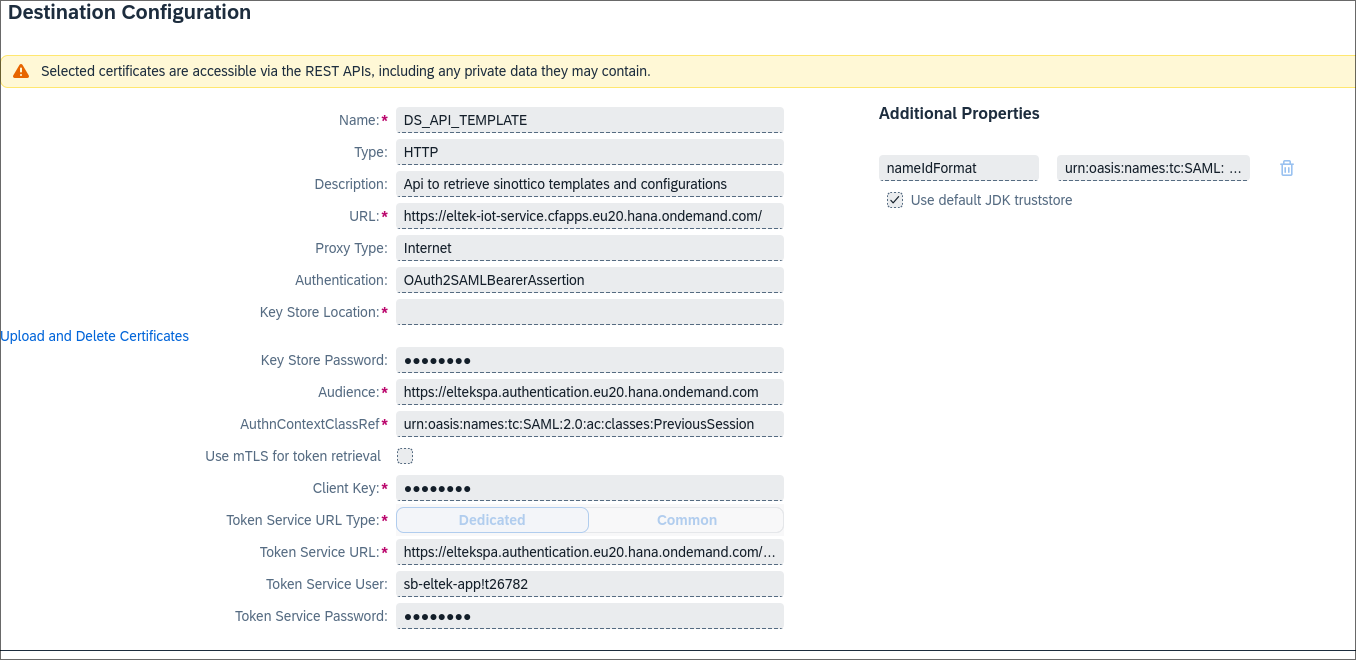 |
Handle user roles
User role collections must be defined for subaccount 2 and the new trust. They can be defined in two ways.
Explicit role collection assignment
It is possible to assign the role collection directly to the users. This requires to manually create the users via Security -> Users and clicking Create. In the popup, select the newly created Identity Provider This is very straightforward, but not scalable.
Using IdP Group
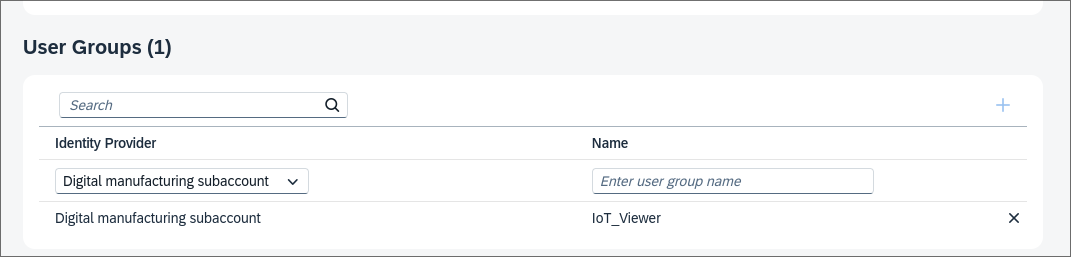
A more scalable way is to leverage IdP Groups. First a new group is created in the IdP and all the relevant users are assigned to that group. After that, in Security -> Role Collections select the relevant Role Collection and Edit. In the User Groups section, add the newly created group remembering to select the newly created Identity Provider